EDUFLOW / TEACHERS

EduFlow

Keep attendance, grades, and yearly plans together.

Record attendance, enter grades, and plan the Moroccan curriculum in the same app. Bring in your Massar class list and prepare printable PDF records from the work you already do.

iPhone and iPad · For teachers in Morocco · France planned

Explore the features
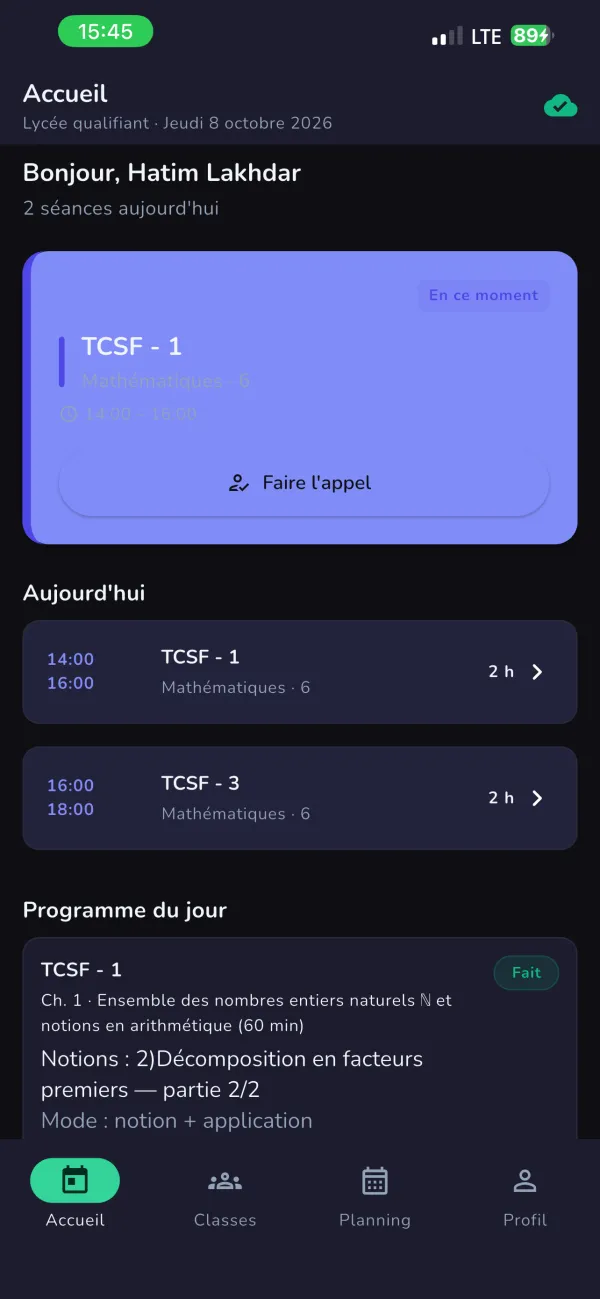
EduFlow’s home screen: today’s two sessions, a Take attendance button for the current class, and the lesson planned for the day.

The problem

Grades in notebooks, attendance on loose sheets, and yearly plans rebuilt every September: running a class means keeping the same information in several places. Teachers need those records to fit the school day, including the short gaps between lessons.

Who it’s for

Design personas · not named customers

  • Secondary teachers in Morocco. Managing grades and yearly plans across several classes, with rosters they already keep in Massar.
  • Primary teachers in Morocco. Keeping attendance and classroom records together while moving between subjects.
  • Primary teachers in France — planned. Needing local calendars, curriculum, and reporting formats that match their school.

For the everyday work of teaching.

Attendance

Mark attendance for a class and return to its attendance history. Keep the daily record together instead of on separate sheets.
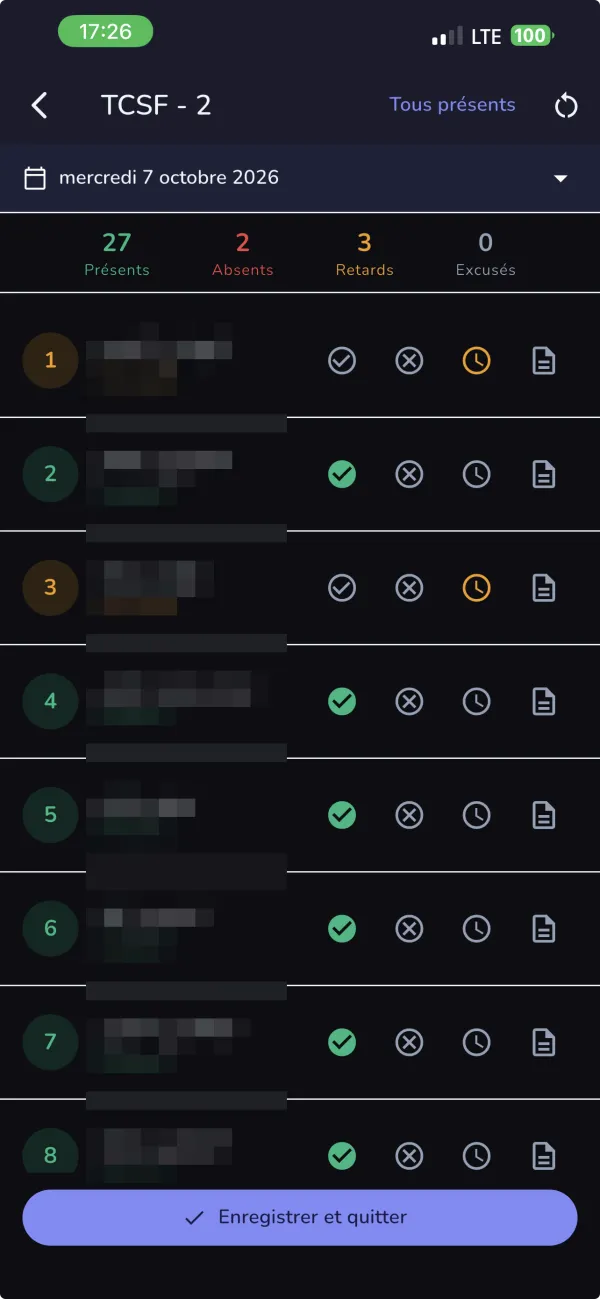
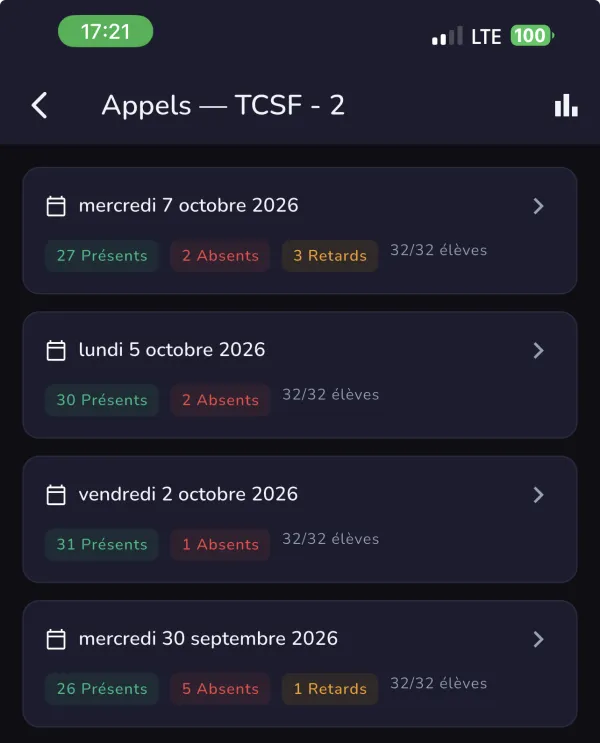
Taking attendance for a class in EduFlow: each student marked present, absent or late, with the day’s totals. Student names are blurred.A class’s attendance history in EduFlow: each date with its count of present, absent and late students.
2 screens · scroll sideways · student names blurred

Yearly curriculum planning

Build a yearly plan from Moroccan curriculum structures. Organize the programme across the school year instead of starting with a blank planning sheet.
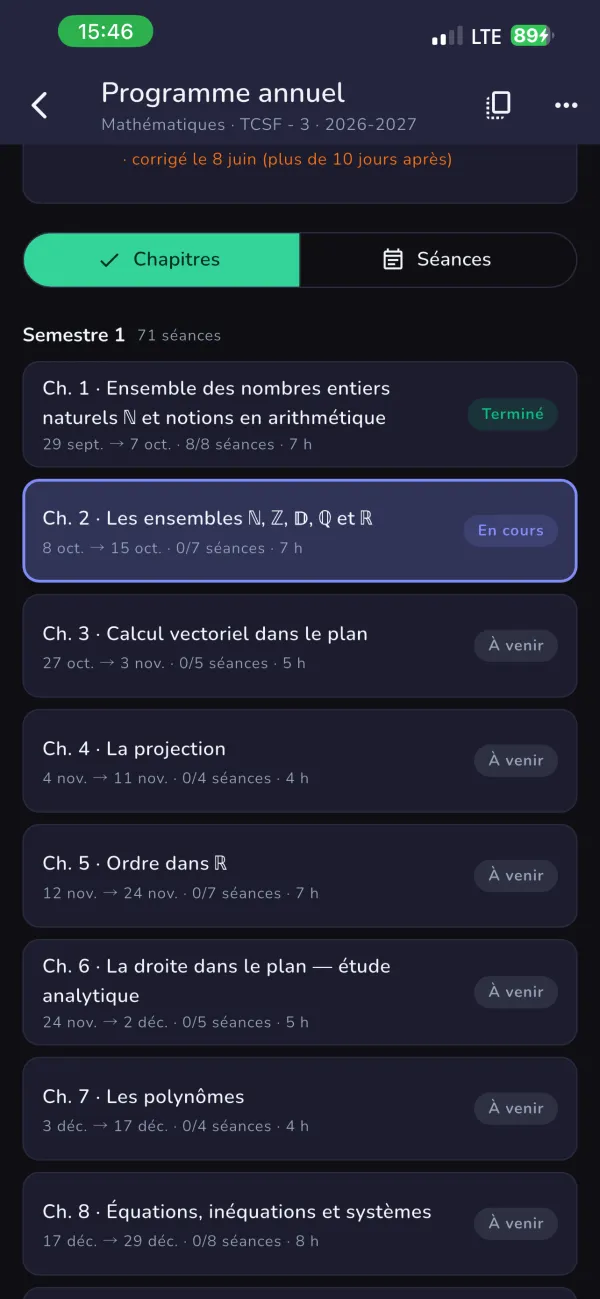
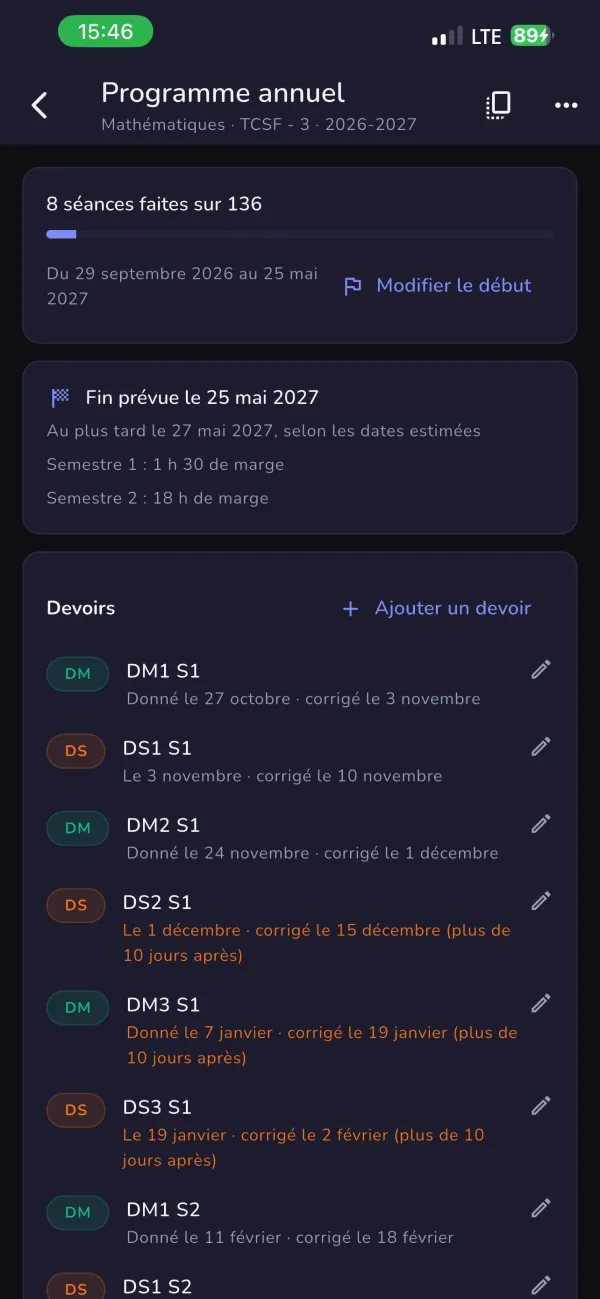
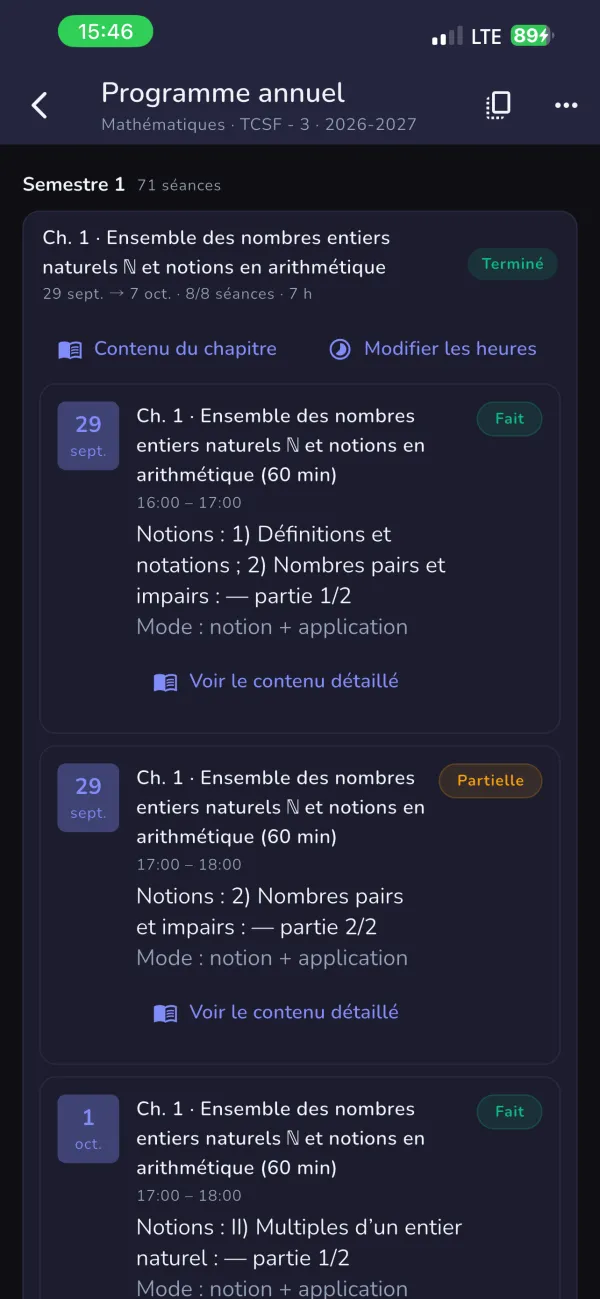
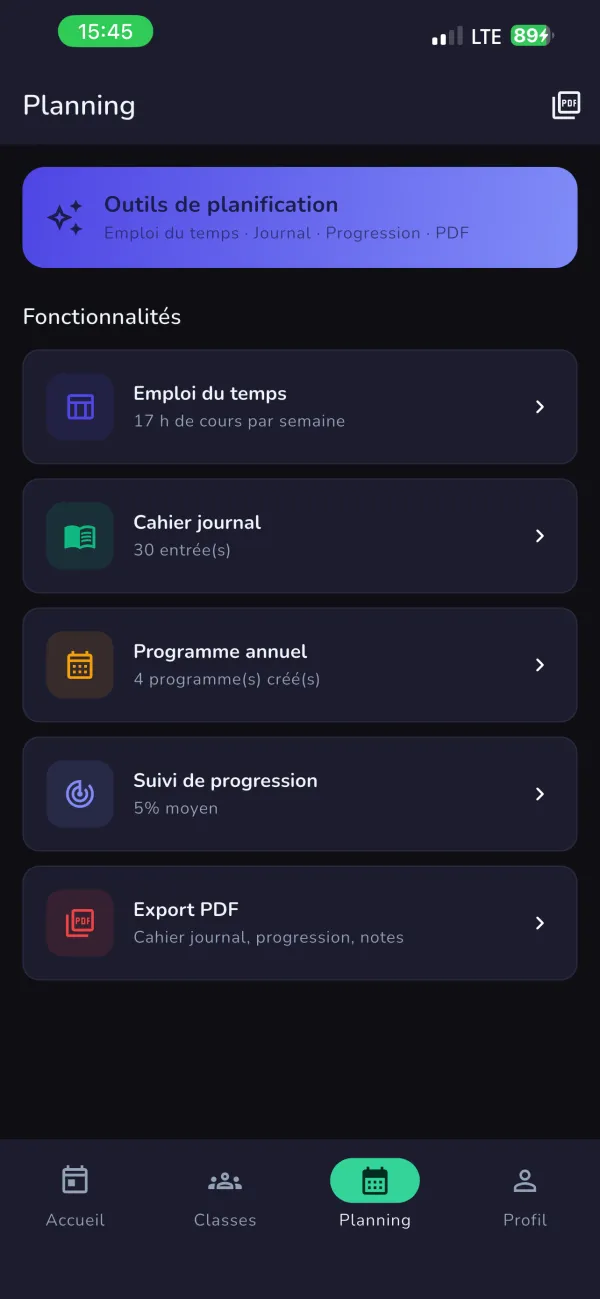
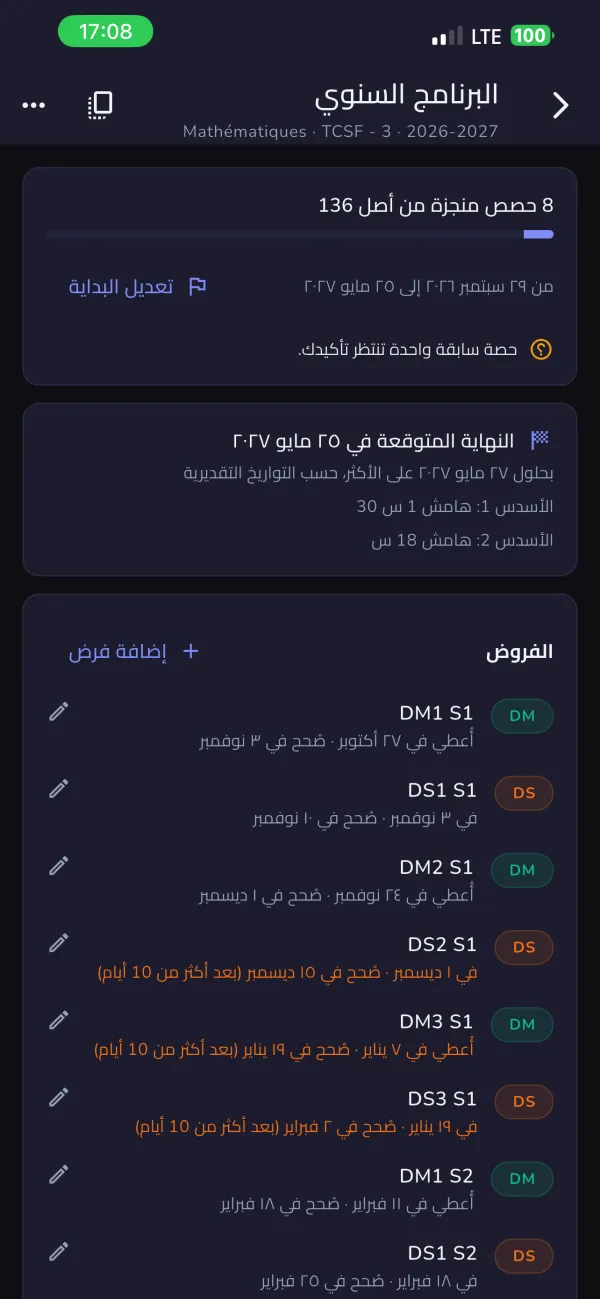
EduFlow’s annual programme for a mathematics class: chapters with dates and session counts, marked done, in progress or upcoming.The annual programme overview: sessions done so far, the projected end date with its margin, and the term’s assessments.A chapter broken into dated sessions, each with its lesson notions and status.EduFlow’s planning tools: timetable, class journal, annual programme, progress tracking and PDF export.The same annual programme shown in Arabic, laid out right to left.
5 screens · scroll sideways

Printable PDF records

Export classroom records and plans as PDFs. Take a printable copy into a meeting or keep it with your school paperwork.
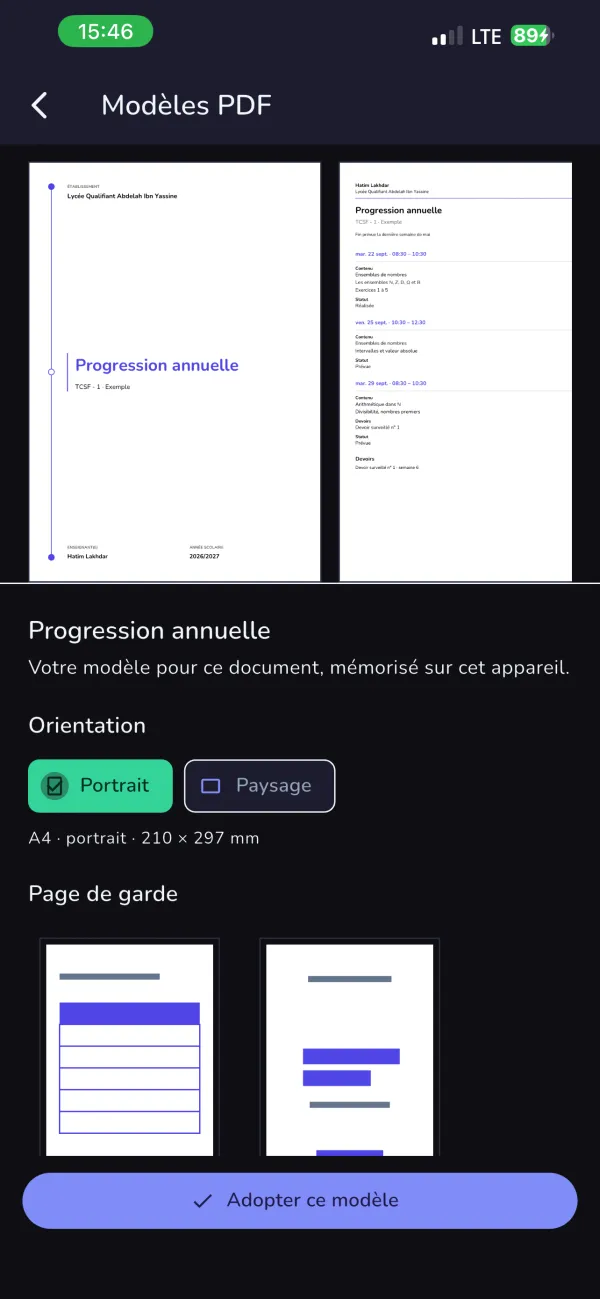
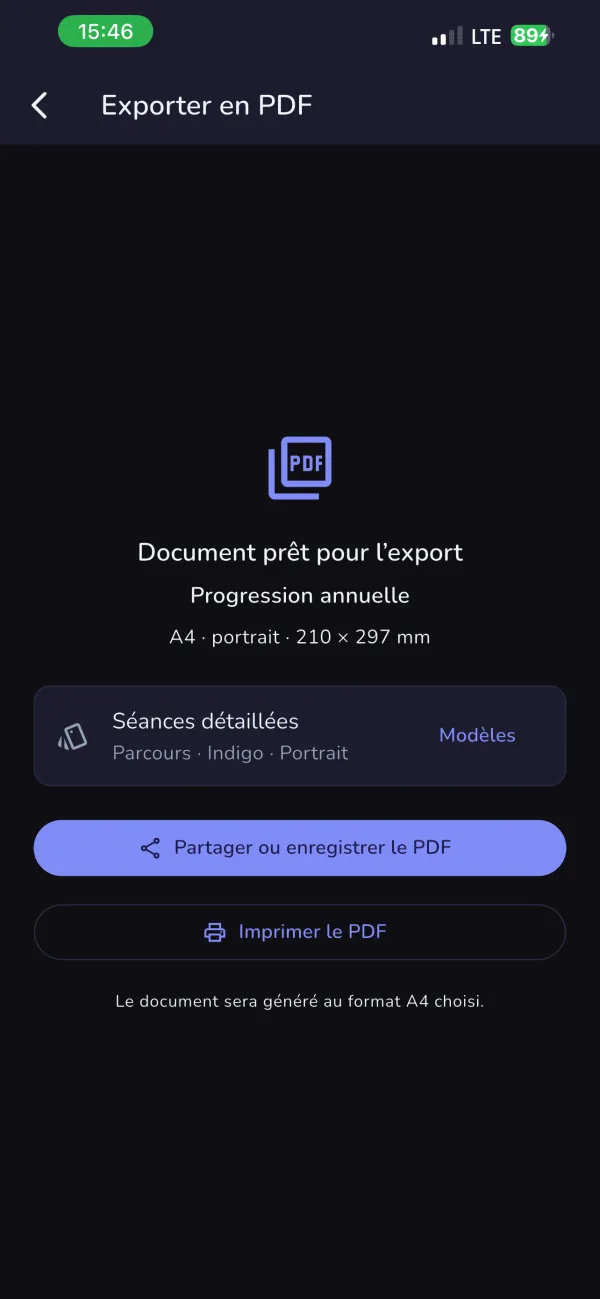
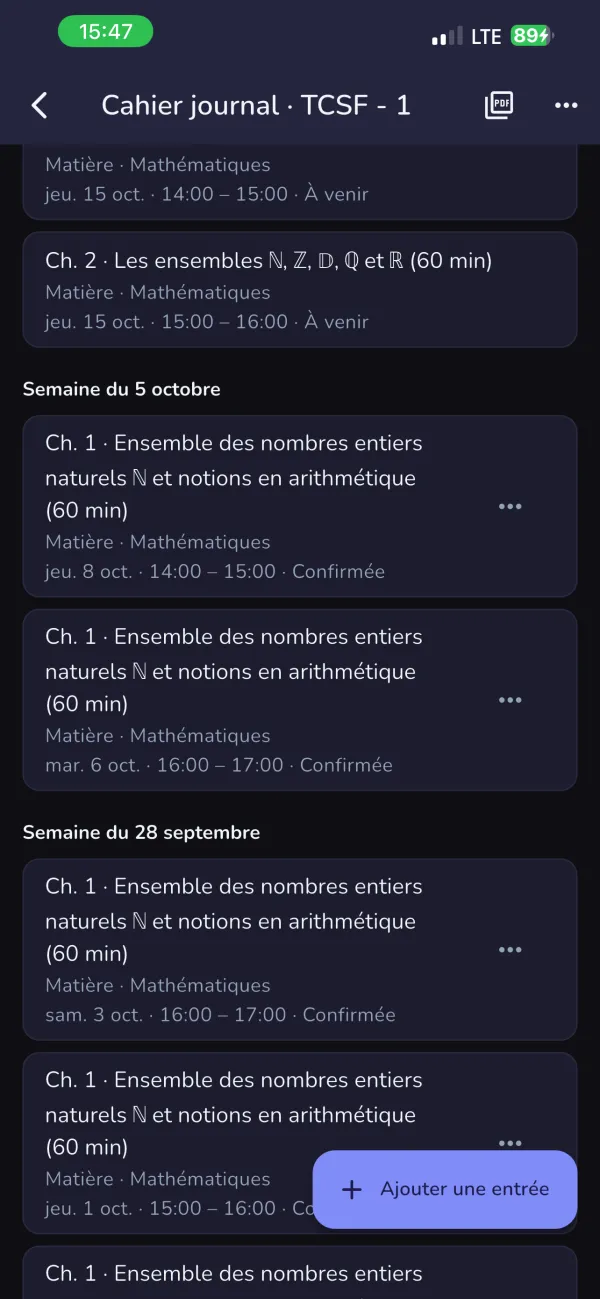
Choosing a layout for an annual-progression PDF in EduFlow, with portrait or landscape orientation and cover page options.An annual-progression PDF ready to export in A4 portrait, with share and print buttons.The class journal: each session’s content and status by week, ready to export.
3 screens · scroll sideways

How it works

  1. Start with your class list. Import a Massar XLSX roster into EduFlow.
  2. Keep records on your device. Classroom data has a local home while you work.
  3. Sync when connected. Local changes join your account data through the app’s sync process.
  4. Protected at the database. Every table in the online database has access rules switched on.

Planned with Claude

Repair a disrupted plan. When exams, holidays, or absences reduce teaching time, Claude would propose new pacing for the remaining curriculum. The teacher would accept or edit the proposal before anything changes.

Check curriculum packages. Claude would help review content prepared from ministry documents. Student names, grades, and attendance would be excluded from these requests.

See it in use

Recorded on an iPad from a real teaching account, about 80 seconds. Screens that showed student names were cut. Captions mark the sped-up part.